
Carrier Services
Google LLCCommunication
4.232.93K Reviews
- Version
- Varies With Device
- Installs
- 5.00B
- Age Rating
- Everyone
Screenshots

Our Review of Carrier Services
 Analysis by Appyee
My phone’s communication tools are only useful when messages and calls fit the way I actually use the device: quick check-ins, family plans, and the occasional group conversation that needs more than a plain text. Carrier Services works behind the scenes rather than giving me another inbox to manage. That makes its role easy to overlook, but it also means the app is best judged by the communication support it enables, not by a screen full of features.
A quiet layer between phone and carrier
Carrier Services is a free communication app from Google LLC, built to help Android phones use current carrier communication services. It is not a replacement for a messaging app, a phone dialer, or your mobile provider. I think of it as a supporting component: the apps I open are where I read and reply, while this one helps the device and carrier work together in the background.
That distinction matters if you are deciding whether to install it. If you want a new way to chat, this is not the right download. If your phone or carrier relies on it for supported communication services, though, it may be part of what lets those services behave as intended. Its value is practical rather than visible: it supports the conditions for communication instead of asking me to change how I talk to people.
When supported messaging changes the rhythm
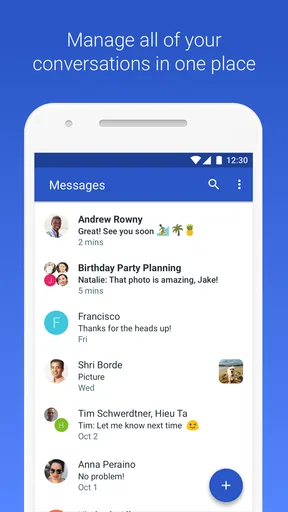
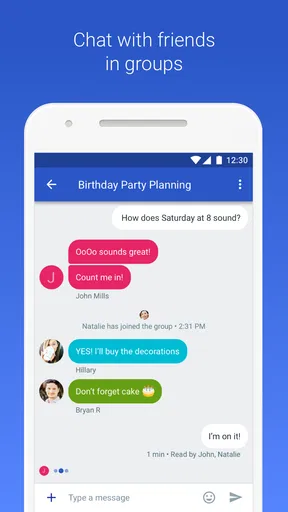
Carrier Services is associated with carrier-supported messaging capabilities, including the infrastructure used by RCS on compatible Android setups. RCS can make a conversation feel less like a string of isolated SMS messages when both sides and the relevant services support it. Features such as read indicators, typing status, or richer media depend on the messaging app, carrier, device, and conversation; installing this app alone does not guarantee that every chat will have them.
That qualification is important in ordinary use. I might be in a group chat where some people have compatible service and others do not, or I might message someone whose setup falls back to a simpler format. Rather than assuming every conversation will look the same, I treat enhanced messaging as a useful possibility, not a promise. When it works, a quick reply or a shared photo can feel more natural; when it does not, the conversation still depends on the messaging option available to both people.
A realistic example is coordinating a family pickup while I am out. I can keep using my usual messaging app, but richer carrier-supported features may make it easier to see whether someone has replied or is still composing, where that setup allows it. Carrier Services does not decide what I should say or make me respond immediately. It supports the channel, while I still choose when to check the thread and how quickly to answer.
Convenience without another notification stream
The app’s low-profile role is one of its clearest advantages for attention. I do not need to open a separate Carrier Services screen every morning, sort its messages, or build a new routine around it. Communication stays in the apps I already use, which helps avoid adding another destination to check. For someone trying to keep a phone less distracting, that separation between background support and visible conversation is welcome.
There is a trade-off: because the work is mostly out of sight, it can be hard to tell what the app has changed or whether a particular message feature depends on it. If a conversation lacks a typing indicator or a media option, I would not assume Carrier Services is broken; the other person’s setup, carrier support, and messaging app can all affect the result. This is a component, not a troubleshooting dashboard, so it offers little direct feedback for someone who wants to inspect every connection detail.
Who benefits, and when another option makes sense
I see the most value for Android users whose carrier supports the communication services their messaging setup uses, especially people who regularly coordinate plans, share media, or keep up with family and work conversations. Its broad reach is reflected in a 4.2 average from around 1.9 million ratings and more than five billion installs, though those figures say more about how widely the component is used than whether every feature will be available on a particular phone.
It is less relevant if you use an iPhone, are looking for a standalone chat service, or prefer an internet messaging app that works independently of carrier messaging. Apps such as WhatsApp or Signal are more direct choices when the goal is to message people through a separate service, though they require the other person to use that service too. Basic SMS remains the simpler fallback when enhanced features are unavailable. Carrier Services does not replace any of these choices; it supports carrier-related functions within a compatible Android environment.
For everyday troubleshooting, I would first check the messaging app and whether the conversation supports the feature I expect before changing background components. If the phone has recently changed carriers or a messaging feature behaves differently, checking for available app and system updates is a sensible, low-effort step. I would avoid clearing app data or disabling a system component just to test a hunch, since that can create extra setup work without identifying the cause.
What Exactly is Carrier Services?
Alright, so first things first. What is Carrier Services? In simple terms, it's a background app developed by Google that allows your phone to make the most of the latest network features offered by mobile carriers. Think of it as the middleman between your phone's software and your carrier's network. It ensures that everything runs smoothly, from sending texts to making calls, and even getting the best signal possible.
Features That Make It Stand Out
Now, I get it. You're probably thinking, "How exciting can a network app be?" Surprisingly, pretty exciting! Here’s a rundown of some of the key features that make Carrier Services a must-have:
- Enhanced Messaging: With RCS (Rich Communication Services), your messaging experience gets a major upgrade. Say goodbye to basic SMS and hello to features like read receipts, typing indicators, and high-quality media sharing. It's like iMessage for Android users.
- Efficient Network Use: The app optimizes how your device handles network resources, leading to more efficient data usage and better call quality. It's like having a personal network manager in your pocket.
- Frequent Updates: Google frequently updates Carrier Services to ensure compatibility with new network technologies. This means you're always ahead of the curve when it comes to connectivity.
How Does It Affect Daily Usage?
Using Carrier Services is like having an invisible assistant that makes sure your calls are crystal clear and your texts are lightning-fast. It's something you don't notice working, but you definitely feel the effects. For anyone who relies heavily on their phone for communication—whether for business or keeping in touch with family—this app is a silent game-changer.
One thing I particularly appreciate is the efficiency. By optimizing network performance, Carrier Services can even help save battery life. Who doesn't want that?
Installation and Compatibility
Getting started is as simple as pie. If you have an Android device, chances are Carrier Services is already installed. If not, you can easily grab it from the Google Play Store. Make sure your device is running Android 4.0 or higher to ensure compatibility.
The best part? You won’t even need to tinker with it after installation. It runs quietly in the background, doing its thing while you go about your day.
My Personal Take
In my experience, Carrier Services is an essential app that doesn't get the recognition it deserves. It’s like the stage crew in a theater production—essential to the performance, yet largely unnoticed. The improvements it brings to connectivity and messaging are subtle but significant. I've particularly enjoyed the seamless transition to RCS messaging, which has made group chats and media sharing so much more enjoyable.
So, next time you notice an update for Carrier Services, remember that it's not just another app. It's the backbone of a smoother, more reliable smartphone experience. And trust me, once you experience it, you won't want to go back.
Keeping expectations—and boundaries—sensible
I would not install it expecting a weak-signal fix or a way to control how quickly people reply. A background communication component cannot make a carrier provide coverage where the network is poor, and richer messaging does not remove the social pressure that can come with read indicators. If those indicators make you feel obliged to answer at once, your messaging app’s conversation settings and your own notification habits are the more useful places to set boundaries.
For a calmer routine, I keep the distinction clear: Carrier Services is infrastructure, not a message queue that needs my attention. I can check conversations at times that work for me and mute or otherwise manage notifications in the app that surfaces them. That is a more realistic way to protect focus than expecting a background service to manage social expectations.
What to expect from installing it
The app is free, has an Everyone content rating, and has been available since March 13, 2017. On many Android phones it may already be present, so finding it in the app list does not mean it is something I need to open or configure like a regular chat app. If it is offered as an update, I would generally treat that as maintenance for the communication layer rather than a new user-facing feature to explore.
That also answers a common practical question: does installing it automatically turn every text thread into RCS? No. The carrier, phone, messaging app, and person on the other end all matter. I would look for the messaging app’s own indication that a conversation has richer features, rather than judging the setup by the presence of Carrier Services alone.
A useful component, not a universal communication fix
My final view is that Carrier Services makes the most sense when I let it do its quiet supporting job and keep my expectations tied to my carrier and messaging setup. It is not a social app, and it will not improve every call or transform every SMS thread. Its usefulness is conditional, but that does not make it pointless: when a compatible phone and carrier rely on it, having the right background support can help everyday communication work as intended.
If you are on Android and your usual messaging experience depends on carrier services, I would leave it available and keep its updates current. If you want a standalone messenger, stronger privacy controls at the conversation level, or a service that works the same way across different platforms, choose an app built specifically for that job instead. For me, the sensible verdict is simple: it is worth having when your setup uses it, and easy to ignore when it is quietly doing its part.
Verdict
Strengths of Carrier Services
- Enhances network connection reliability.
- Supports faster messaging services.
- Automatically updates for latest features.
- Improves app functionality seamlessly.
- Optimizes battery usage efficiently.
Limitations of Carrier Services
- Requires frequent background updates.
- Limited control over app settings.
- May consume additional data usage.
- Not compatible with older devices.
- Minimal user interface for interaction.
Other Releases by Google LLC
View All
Google Calendar
Productivity4.6

Google Messages
Communication4.6

Tools4.0

Google TV
Video Players & Editors3.9
Similar Picks in This Category
View AllGoogle Messages
Google LLC4.6

Gmail
Google LLC4.1

Google Meet
Google LLC4.4

Google Chrome
Google LLC4.1

WhatsApp Messenger
WhatsApp LLC4.6

Contacts
Google LLC4.3
Frequently Asked Questions
What is Carrier Services and what does it do?
Carrier Services is an app by Google that enables the latest communication services provided by mobile carriers. It supports features such as advanced messaging, connectivity, and network capabilities. This app works in the background to enhance your device's communication performance, ensuring seamless service integration.
Is Carrier Services necessary for my phone to function properly?
While not essential for basic phone functionality, Carrier Services is crucial for accessing enhanced features like RCS (Rich Communication Services) messaging. If your carrier supports such services, having this app ensures you can utilize these advanced communication features. It's particularly beneficial for users who frequently use messaging apps.
Does Carrier Services consume a lot of battery or data?
Carrier Services runs in the background but is optimized to have minimal impact on battery life and data usage. It primarily functions to support communication services, and any data consumption is linked to those specific services. If you notice unusual battery or data usage, it may be due to other apps or services.
Can I uninstall or disable Carrier Services if I don’t need it?
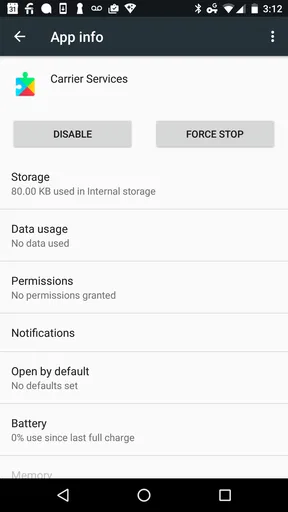
Carrier Services can usually be disabled but not completely uninstalled, as it's a core part of the operating system on many devices. Disabling it might affect advanced messaging features and connectivity, especially if your carrier relies on it for certain services. Consult your carrier before making changes.
How do I update Carrier Services and why is it important?
Carrier Services updates are typically pushed through the Google Play Store. Keeping the app updated ensures you receive the latest enhancements and security improvements. Regular updates can improve compatibility with carrier networks, leading to better performance and access to new communication features.
